
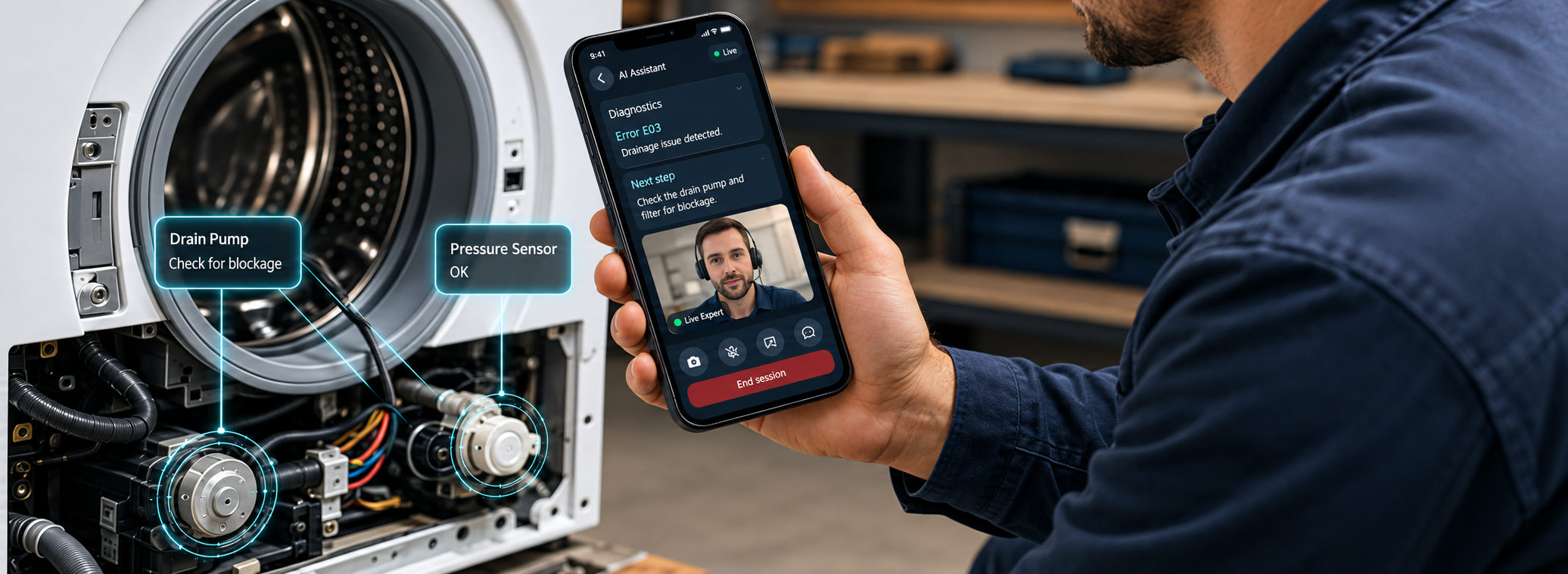
LiveOps & Remote Assistance
Solve every job on the first call.
Connect your service experts with the technicians in the field. A technician photographs the equipment and gets the procedure for that exact model, from your own manuals. When that is not enough, one tap opens a live call where an expert draws on what they see.
Augmented reality (AR) remote assistance connects a technician in the field to an expert elsewhere over live video, letting the expert draw directly onto the technician's camera view so annotations stay anchored to the equipment.How a job gets solved
Technician captures the issue
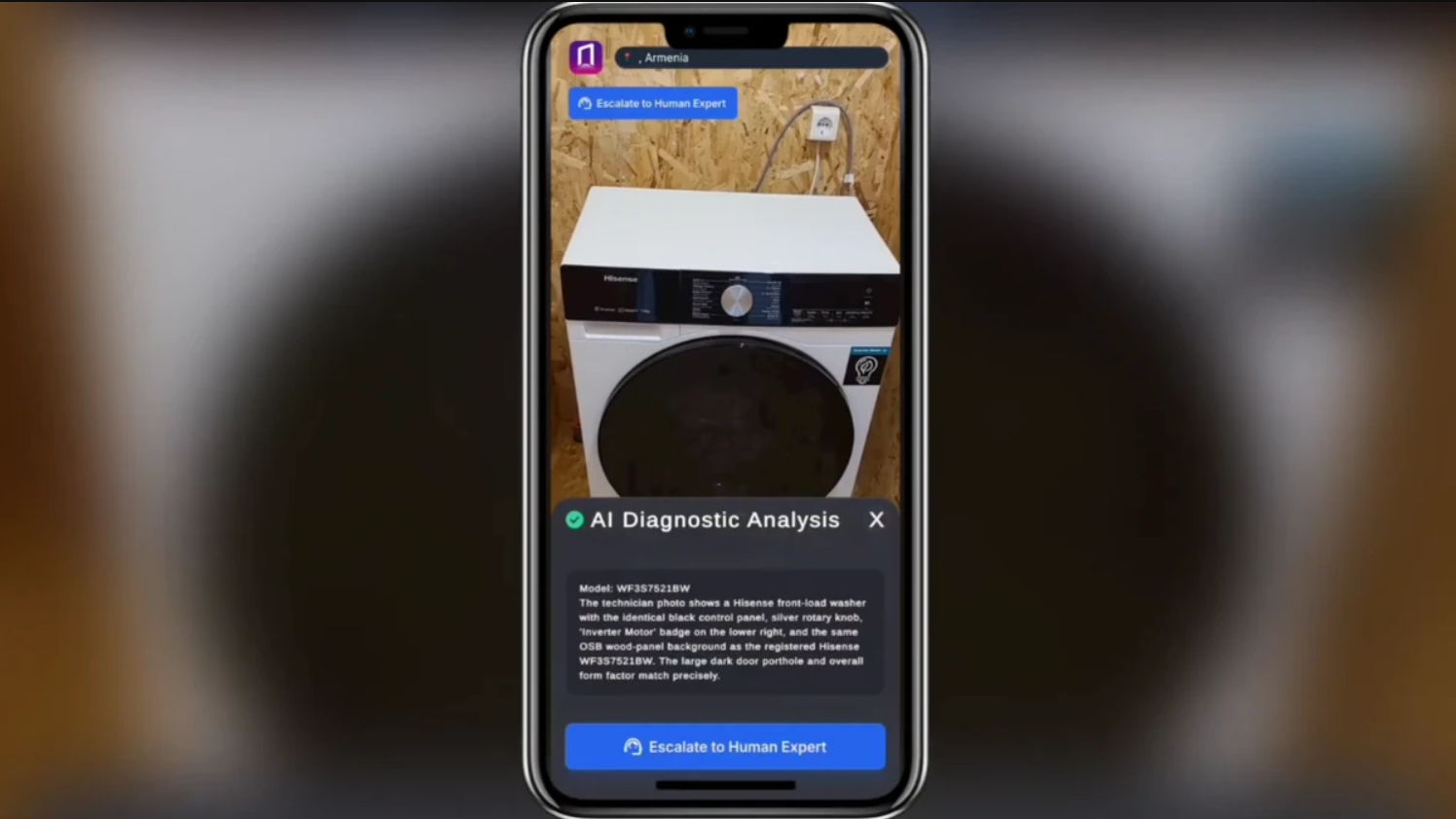
They take a photo of the equipment or type a question, right from their phone on the job site.
AI matches the knowledge base
The system queries structured content built from your internal manuals and operational documentation.
Clear guidance delivered instantly
Step-by-step troubleshooting steps appear on screen, no waiting, no searching, no calls to HQ.
Escalate to live AR if needed
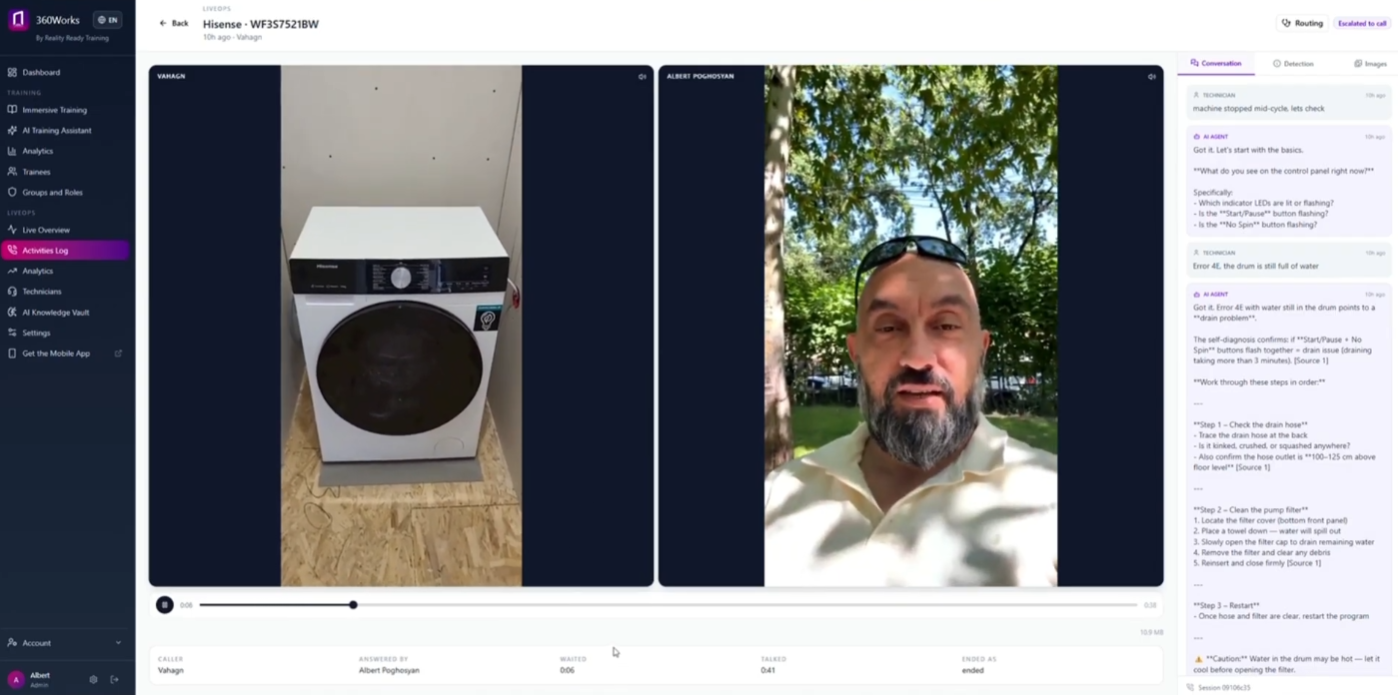
A remote expert joins a live video call and annotates the camera feed in real time to guide resolution.
Instant Field Diagnostics
Technicians take a photo or ask a question and get troubleshooting steps on the spot, instead of searching maintenance guides or waiting on a support queue.
Works on the technician's own phone. Nothing to issue, nothing to charge.
Live AR Escalation
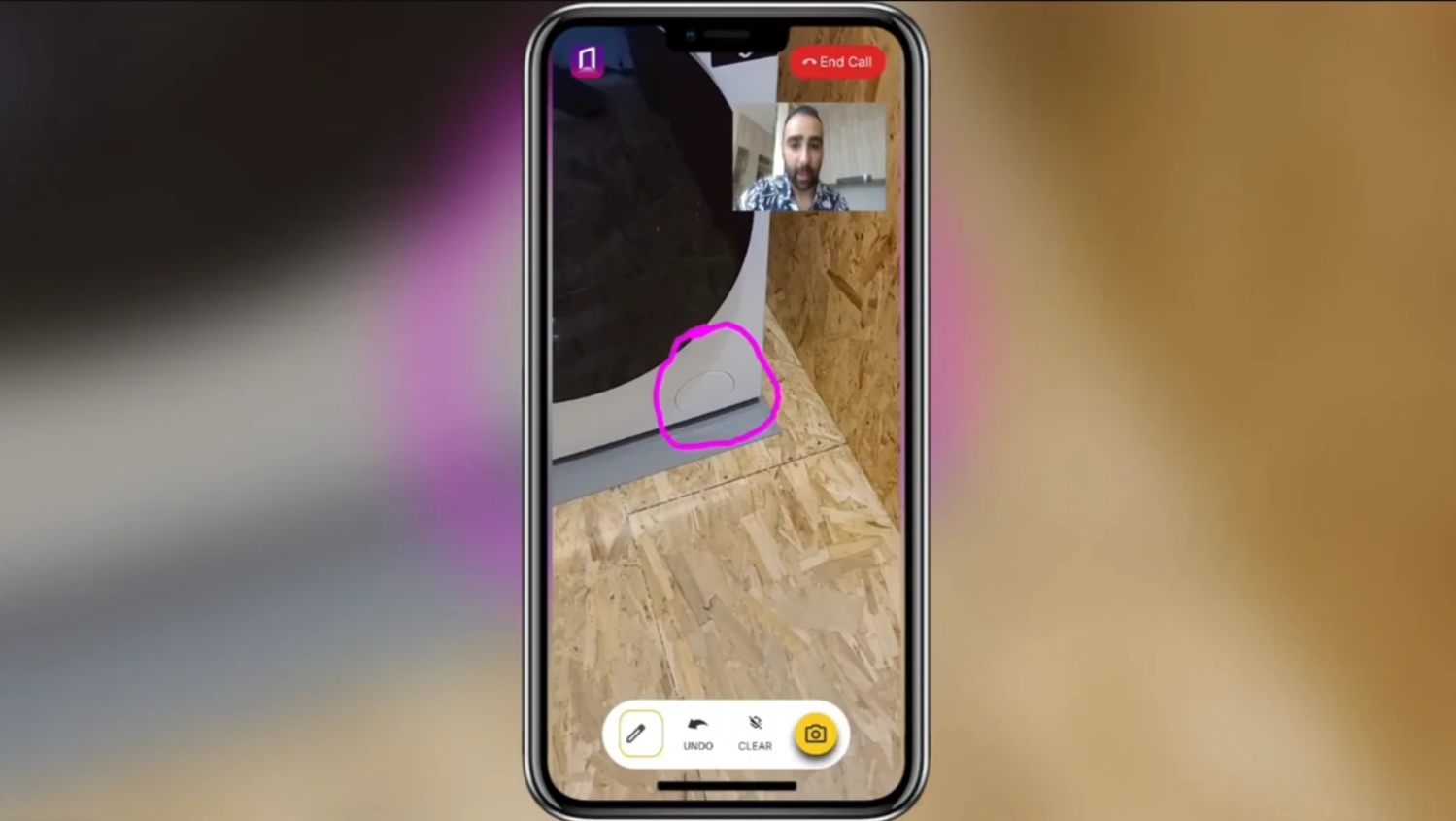
When human help is needed, the technician starts a live video call. The remote expert annotates the camera feed, pointing directly at the valve, wire or component in question.
Sessions are recorded and retained, so a fix that happened once can be reviewed later. One senior technician can cover a whole region without leaving the office. Runs on the technician's phone, or on smart glasses when the job needs both hands.
Single-Source Knowledge Base
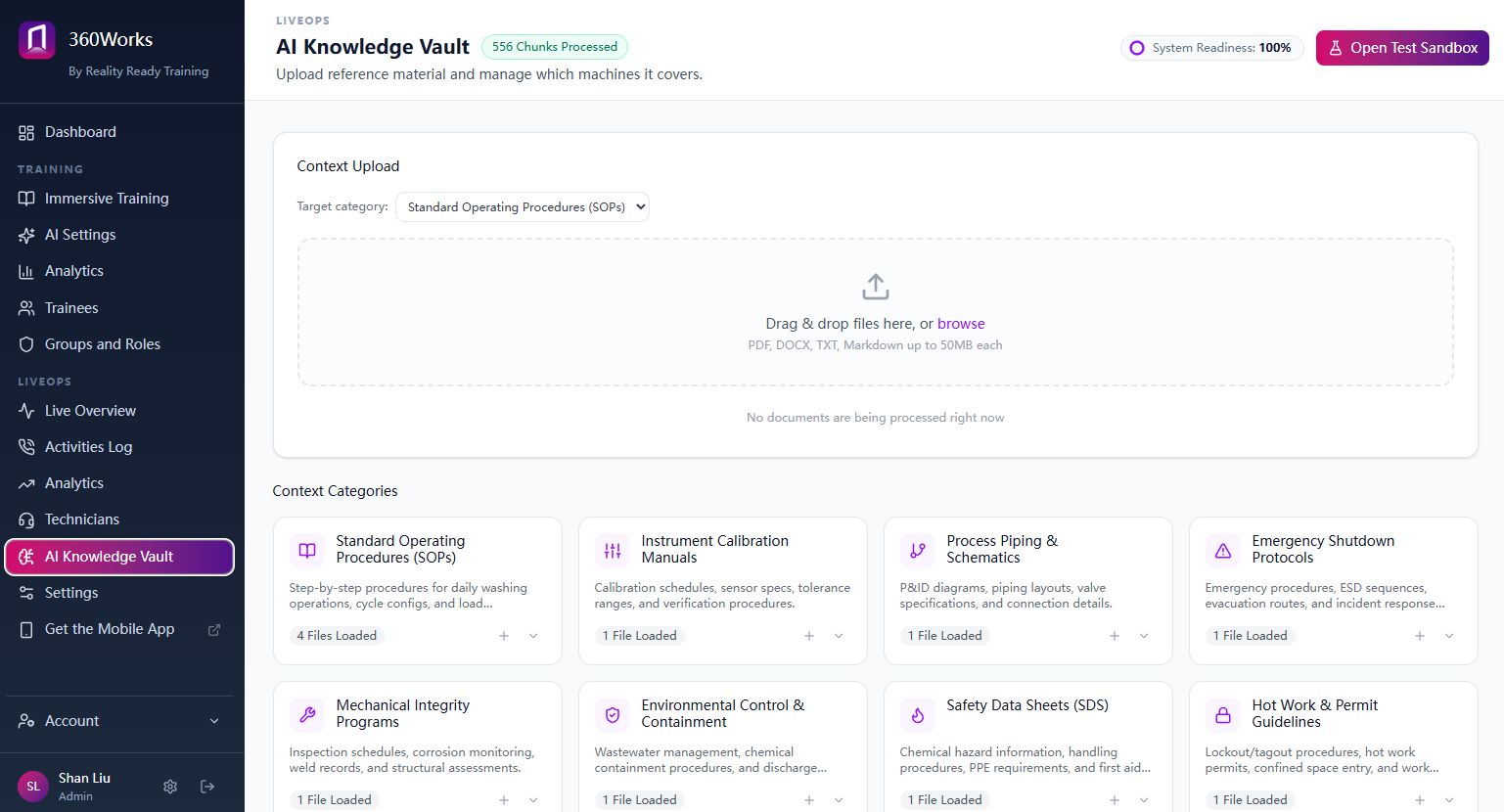
Content created in 360Works trains human technicians and powers the AI agent at the same time. Update a procedure once and the whole system stays current: the training course, the AR overlay and the field assistant all reflect the change.
Unified Content Management
Your manuals, SOPs and hard-won practical knowledge get organized once into structured content, readable by a new hire and retrievable by the AI. What lives in your senior technicians' heads becomes something the system can answer with.
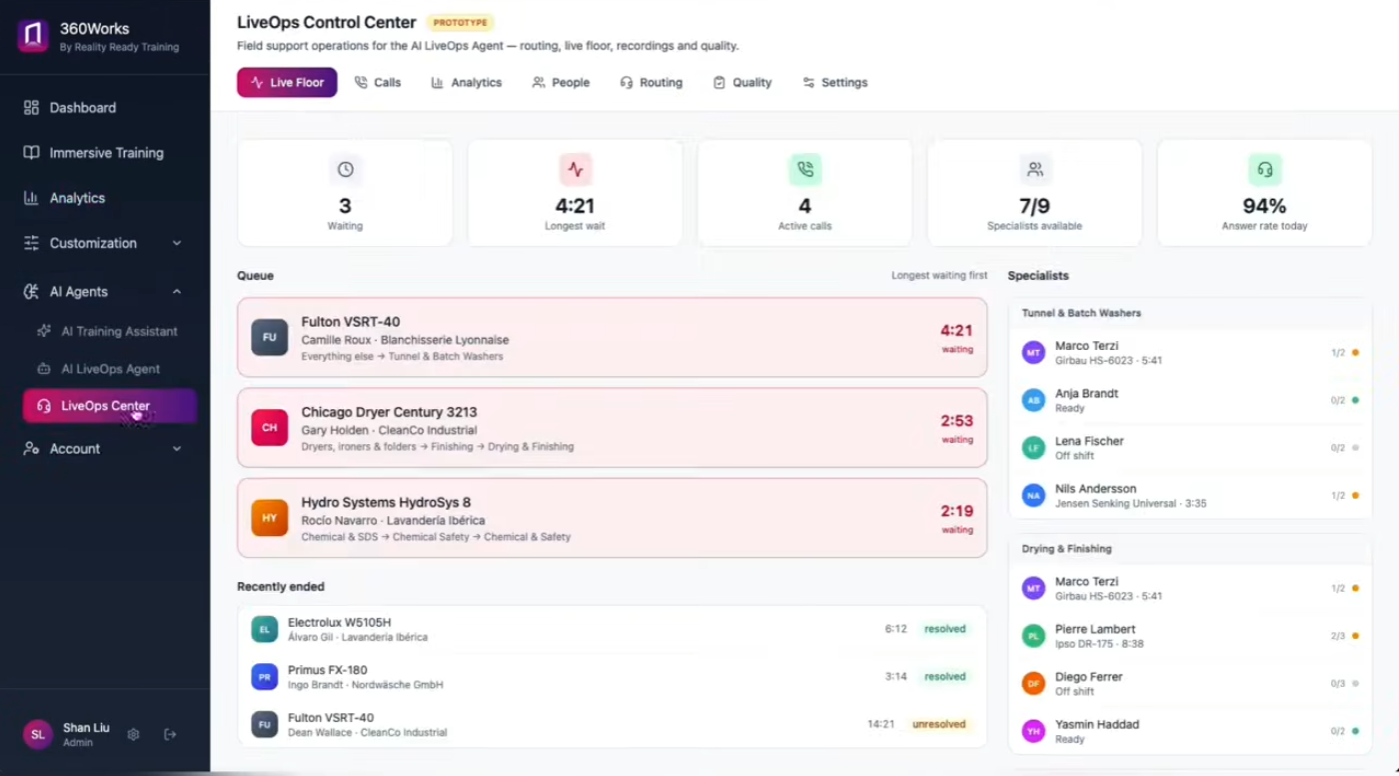
AI answers from your manuals, not from the internet.
The assistant is built on your own documentation: service manuals, bulletins, SOPs, and the procedures your senior technicians actually follow. It identifies the model from a photo and returns the procedure for that unit, rather than a plausible answer about a similar machine.
When it does not have the answer, it says so and hands off to a live expert instead of guessing. Every session feeds back into the same content your training runs on, so one update keeps the course, the AR overlay and the field assistant in step.
It runs on your API key and your choice of model, so it fits the stack you already have.
FAQs
-
On a video call the expert has to describe which part they mean, and hope. Here they circle it on screen, and the mark stays on that part as the camera moves.
-
The phone they already carry. AR smart glasses are supported where a job needs both hands free.
-
It is built on your own service documentation: manuals, bulletins, and the procedures your technicians already follow. It answers from those rather than from the open internet, and it cites what it drew on.
-
It says so and opens a session with a person, rather than guessing.
-
Yes. Sessions are recorded and retained, so a fix can be reviewed afterwards rather than living only in the memory of whoever was on the call.
Ready to put the manual in their pocket?
Tell us about your equipment and your field team, and we'll show you what the assistant answers with on day one.
Prefer to talk it through? [Book a call]