
AR Wayfinding
Arrows on the floor, on their own phone
AR wayfinding overlays directions onto a live camera view, so someone finds a room, an exit or a piece of equipment by following arrows through the building itself rather than reading a map.
Turn a hospital, a plant or a campus into a guided route. As someone walks the real space holding their own phone, directional arrows, distance markers, and point-of-interest labels overlay onto the live camera view, positioned by a Visual Positioning System and running in the mobile browser with nothing to download.
We scan the space
Our team captures the physical environment and builds an accurate spatial map of the facility for navigation to run on.
We build the routes
Routes, points of interest, and CTA buttons get placed throughout the space, ready to guide learners exactly where they need to go.
They walk and follow
Learners open the experience on their phone and walk the real space, guided by live arrows, distances, and labels overlaid on what they see.
CASE STUDY
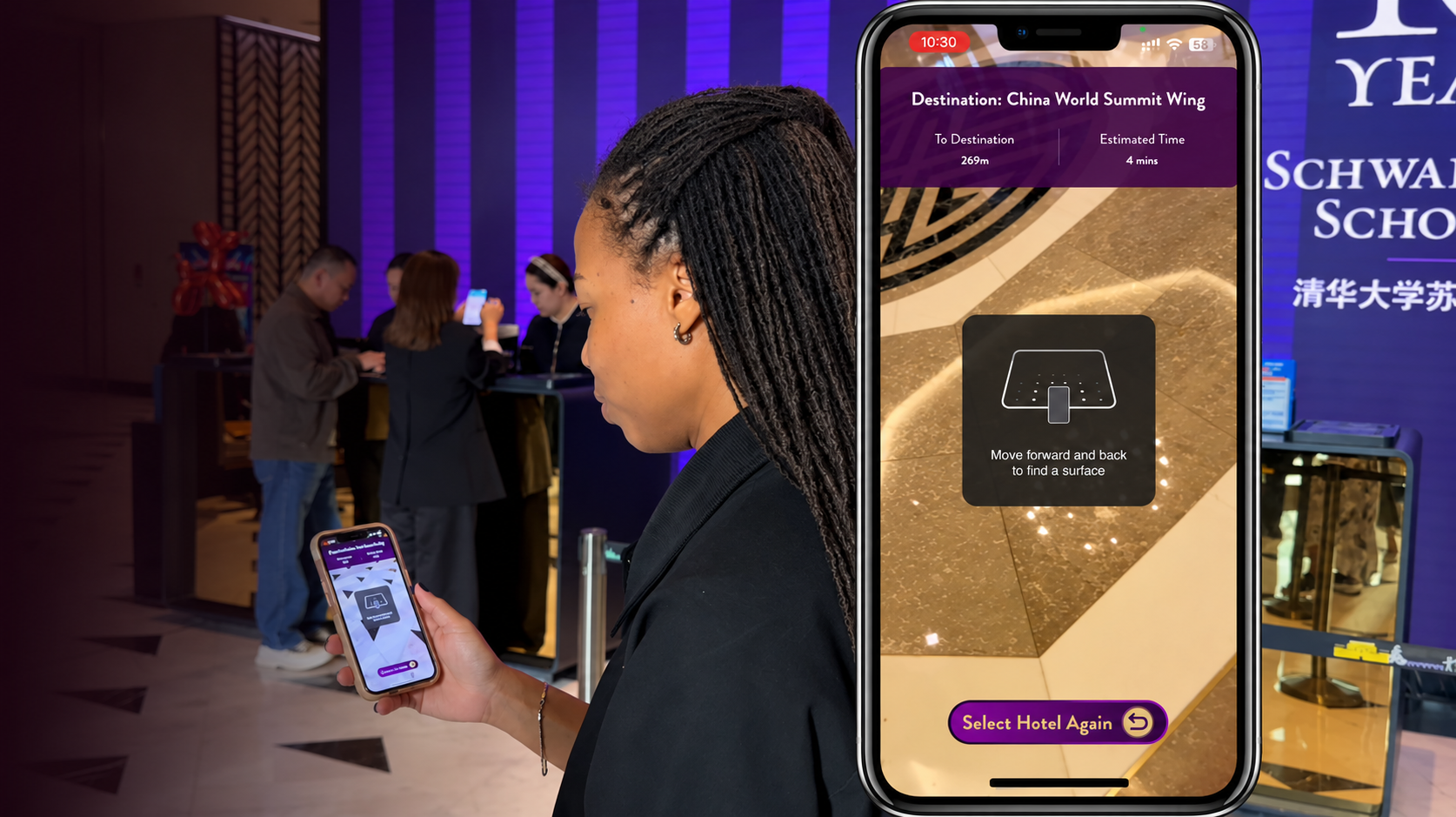
China World Mall: Every guest found their own way
For a major event at the China World Mall, a large multi-level retail and conference complex in Beijing, we built a VPS-powered AR navigation experience that let attendees explore the venue on their own. Live directional guidance on their phone camera, no staff escort, no printed map, nothing to download.
We scanned the environment, built custom routes and tied points of interest to the key locations across the venue. Guests opened a link and walked.
Build exactly what you need
AR wayfinding projects are modular, so you choose the pieces that fit your facility and your goals.
Environment Scanning
We scan your space to build the spatial map the navigation runs on. One visit, no disruption to operations.
Route Creation
We design guided paths from any starting point to the destinations that matter.
Experience Creation
We design and build the full wayfinding experience around your facility and use case.
In-Route Actions
Tap a marker for instructions, background information, or to check in at a station.
3D Asset Integration
We add 3D markers and labels so the things that matter stand out as people pass them: an emergency exit, a check-in desk, a specific machine.
Mobile Deployment
Delivered straight to a phone browser, with no app download for end users.
FAQs
-
Guiding people through large or unfamiliar buildings: hospitals, campuses, plants, distribution centers, and venues. The common uses are emergency exits, assembly points, equipment locations, and visitor routes.
-
No. Positioning works from the phone camera against a scan of the space, so there is nothing to fit in the building and nothing to maintain afterwards.
-
From a link, in the browser on their own phone. There is no app to download, which matters most for visitors and contractors who will use it once.
-
Large sites where people get lost: multi-floor hospitals, sprawling campuses, plants with restricted areas, and venues where visitors arrive once and need to find one room.
Have a space in mind?
Tell us about it, whether that's a hospital, a plant, a campus or a job site, and we'll scope a wayfinding experience for it.
Prefer to talk it through? [Book a call]